Not an IMAGE Graduate? You Can Still Use This Guide
Even if you attended another school, this guide will help you avoid common mistakes and get licensed quickly. Many students from other programs find this process confusing because their school didn’t explain it — IMAGE does.
Follow the directions carefully, and you’ll be on your way to printing your license in no time.
What You Need to Complete at Home
Before you begin your online application, make sure you have:
- Your 4-Hour HIV/AIDS Certificate
- Your Social Security Number
- An email address you check regularly
- A debit or credit card to pay the $75 fee
 You don’t need your driver’s license for DBPR, but your name must match your legal ID exactly.
What You’ll Receive From IMAGE (or Need From Your School)
IMAGE graduates receive everything needed to apply at graduation:
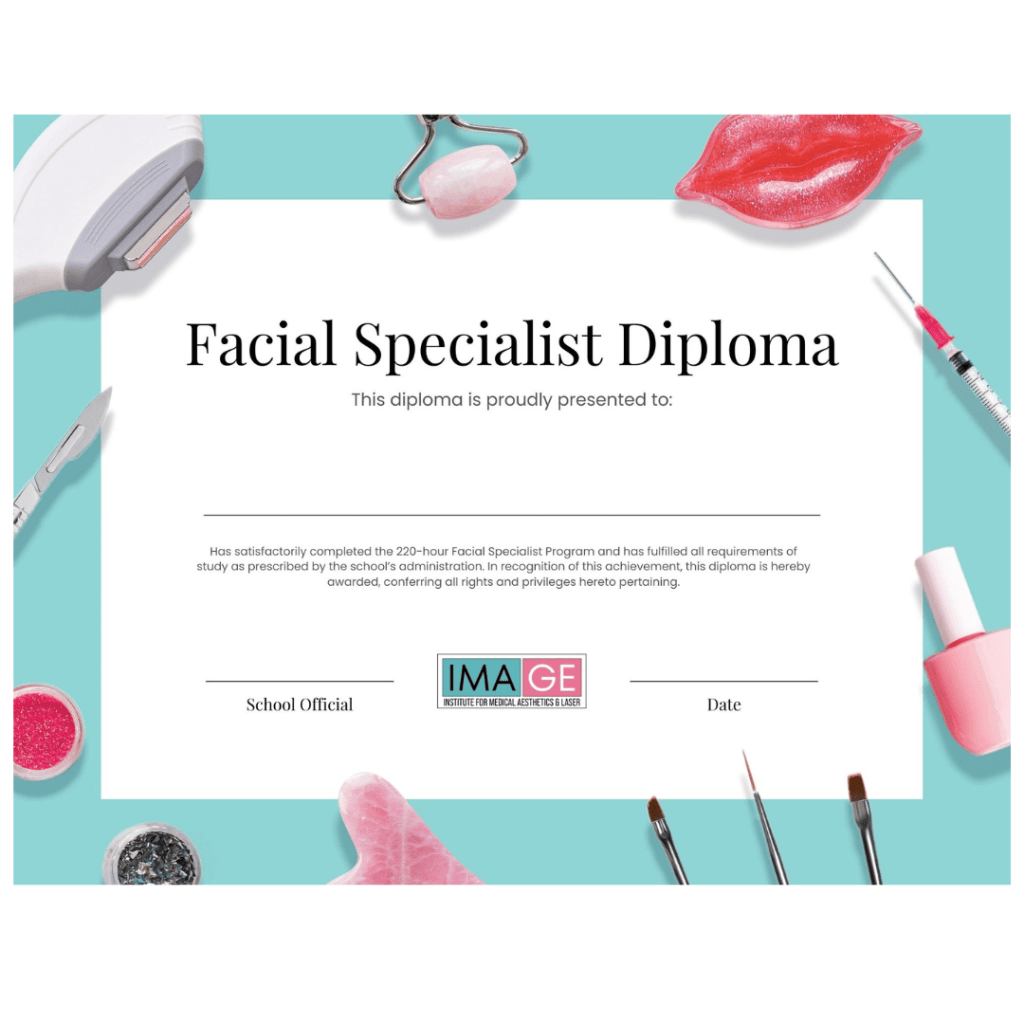
- Official Diploma (or Certificate of Completion if from another school)
- Official Transcripts
- Completed Hours Form (required by the Board)
- A file folder to safely store your documents
Keep your folder in a safe place — these are your original records. Replacement copies are available for $25 each if lost or damaged.
If you attended another school, contact your school’s administrator or registrar to request these documents before applying.
 Step 1: Create or Log Into Your DBPR Account
 Step 1: Create or Log Into Your DBPR Account
Go to www.MyFloridaLicense.com
- Create your DBPR Online Services account using your legal name and email address or log into yours if you already have one.
- Once your account is created, click the “Apply for Your License” link found at the bottom of your program page on InstituteIMAGE.com.
Each IMAGE program page includes the correct link at the bottom for the application to your specific license type — Facial, Nail, or Full Specialist. - Follow the link and complete the prompts to begin your application.
If you’re not using the link from our website:
You’ll need to manually find the correct application on the DBPR website.
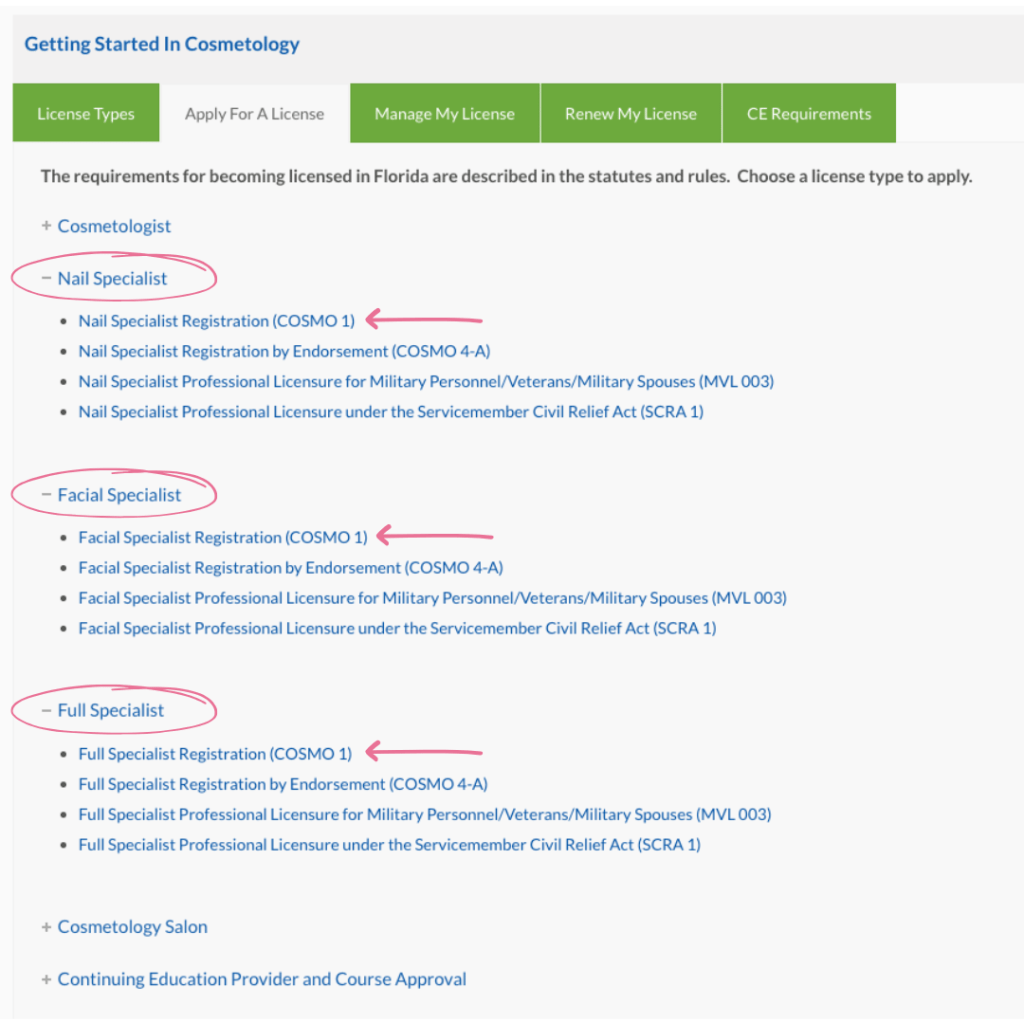
- Choose Cosmetology as your Board.
- Then click Apply for License.
- Select your specialty (Facial Specialist, Nail Specialist, or Full Specialist).
- Finally, choose the application that lists your specialty name followed by “COSMO1.”
(Examples: Facial Specialist (COSMO1), Nail Specialist (COSMO1), Full Specialist (COSMO1))
 Note: The DBPR website often experiences technical errors or pages that fail to load correctly — especially during busy months. Don’t worry if the site is slow or gives an error message; this is common and not caused by your computer.
That’s why IMAGE created this detailed guide — to help you know exactly where to find each step and link, even when the state’s system has loading issues. If a page doesn’t load, refresh it or try again later.
 Important: The Florida Department of Business and Professional Regulation (DBPR) is solely responsible for all license approvals, delays, and decisions. IMAGE does not have the ability to expedite, fix, or intervene in the state’s system.
We understand it can be frustrating waiting for approval, but please remember — delays are normal and not a reflection on your school. The state reviews each application individually, and patience is key.
 At IMAGE, we go above and beyond in assisting our students — unlike many schools that leave you to figure it out alone. We’ve seen that most errors and delays happen when directions aren’t carefully followed. Taking the time to read each step and follow this guide closely will help you avoid the common mistakes we’ve seen and ensure your application is submitted smoothly.
Step 3: Upload Your Required Documents
 Step 3: Upload Your Required Documents
You must upload four clear, legible files:
 HIV/AIDS Certificate – You provide this yourself
 Diploma (or Certificate of Completion) – Provided by your school
 Transcript – Provided by your school
 Completed Hours Form – Provided by your school
 Tip: The DBPR website only allows one upload at a time — there’s no bulk upload option. After each file uploads, check that it appears in your attachments before adding the next.
Before you submit, confirm that you uploaded all four documents:
HIV/AIDS Certificate, Diploma (or Certificate of Completion), Transcript, and Completed Hours Form.
 No Scanner? No Problem!
You can upload your documents directly from your phone.
iPhone Users:
Take a clear photo and upload it, or scan through the Notes app → Camera/Paperclip Icon → Scan Documents → Save as PDF.
Android Users:
Open Google Drive → (+) Plus Button → Scan, take a clear photo, and Save as PDF.
 We recommend completing your application on a computer rather than a phone — the buttons, uploads, and forms are easier to navigate, and you can clearly see all instructions and confirmation messages. The DBPR’s mobile and desktop versions are not identical, so using a computer helps you avoid errors and missed steps. Tip: If you’re using your phone as a scanner, you can email the documents to yourself first. This makes it easier to access and upload them from your computer.
You can do the entire application from your phone or a computer — whichever you prefer — just make sure your documents are clear and you attach them one at a time.
Step 4: Pay & Submit Your Application
 Step 4: Pay & Submit Your Application
Pay the $75 application fee with a debit or credit card and click Submit.
Double-check that all 4 documents are attached before you finalize submission.
Once submitted, congratulations — your application is officially under review! 
Step 5: Check for Updates
 Step 5: Check for Updates
Licenses are usually approved within 7–14 business days, but the state has up to 30 days for review.
 Check your email and log into your DBPR account (Application Status) regularly. Respond quickly if DBPR contacts you — this helps prevent delays.
 Note: You may see an automatic HIV deficiency notice. This is a known DBPR error and does not affect approval. As long as your HIV certificate date is within two years, you’re compliant. The system sometimes misreads dates — no action is needed.
 Expect Longer Wait Times During Busy Months:
If you apply between August and October, your application may take the full 30 days for processing. This is Florida’s annual license renewal season, and the DBPR receives a much higher volume of applications during that time.
Ready for Your Next Step?
 Ready for Your Next Step?
If your current school didn’t prepare you for the licensing process — or if you’re ready to elevate your career — explore IMAGE’s advanced beauty and medical aesthetics programs.
We combine expert instruction, business training, and real clinical practice to help you go from student to professional with confidence.
 Visit InstituteIMAGE.com to learn more and see why IMAGE graduates stand out in Florida’s beauty industry.
Florida Law Reminders
 Florida Law Reminders
 You must display your license at your station — photo attached, laminated, and visible.
 You cannot legally work without an active, printed license.
 Violations can result in a $100 fine per incident.
Planning to Operate Your Own Business?
If you plan to work independently, rent a suite, or open your own spa or studio, you must also apply for a Salon License through the DBPR. You cannot legally perform services from your home without a licensed salon or approved establishment.
We discussed this during class — the DBPR strictly enforces these laws, and fines for unlicensed activity can be hundreds or even thousands of dollars per violation. Always make sure your business location is properly licensed before offering any services to the public.
Visit the DBPR website for current salon licensing requirements and application forms.